01
Order of proceedings
Create a show rundown, assign timings, mark items complete, and keep session timers visible while the event moves forward.
 Live Event Grafix
macOS release 1.0.14 available
Professional live production graphics for lower thirds, rundown timing, broadcast messages, output routing, and custom motion-ready overlays from one operator-focused control surface.
Version 1.0.14 · macOS 14.0+ · Apple Silicon · Signed, notarized, and OTA enabled
Key features
Live Event Grafix keeps the graphics queue, event timing, output windows, and design tools close together so an operator can prepare, preview, and send graphics during a live show.
Create a show rundown, assign timings, mark items complete, and keep session timers visible while the event moves forward.
Manage speaker lists, sections, designations, templates, Rive graphics, and quick show controls for live identification graphics.
Send announcements, tickers, countdowns, time-of-day graphics, and utility messages without leaving the main control surface.
Open fill, key, and utility outputs, route to displays, use chroma key options, and configure render quality for production environments.
Build custom overlays with shapes, text, images, layers, property controls, keyframes, templates, and timeline playback.
Support live match graphics, scoreboards, team data, penalties, build-up graphics, post-match content, and tournament views.
Screenshots
These captures show the live control surface, graphics management dialog, custom designer, and licensing view used in the current macOS build.
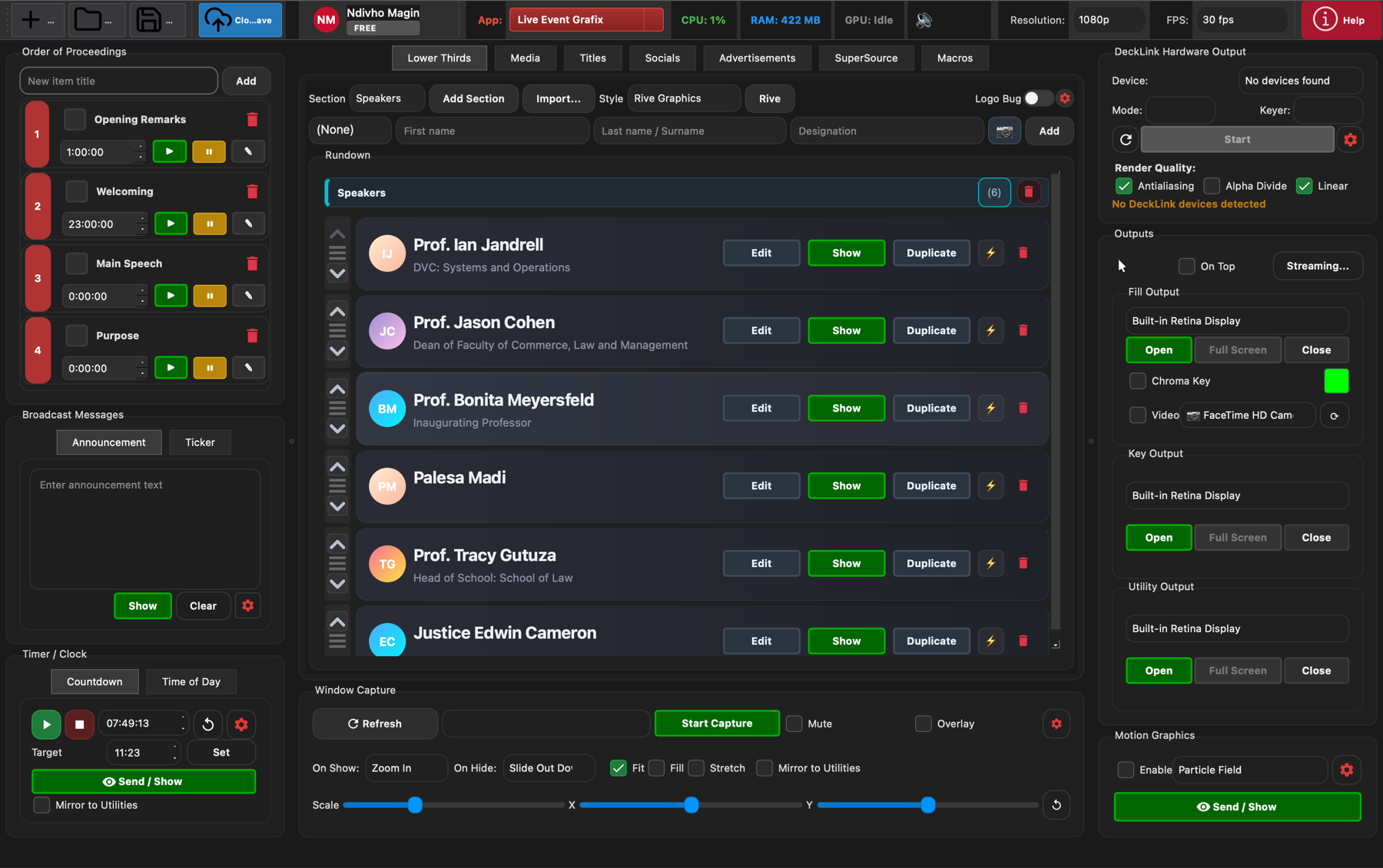
Control the rundown, lower thirds queue, announcements, timers, window capture, and output windows from one production view.
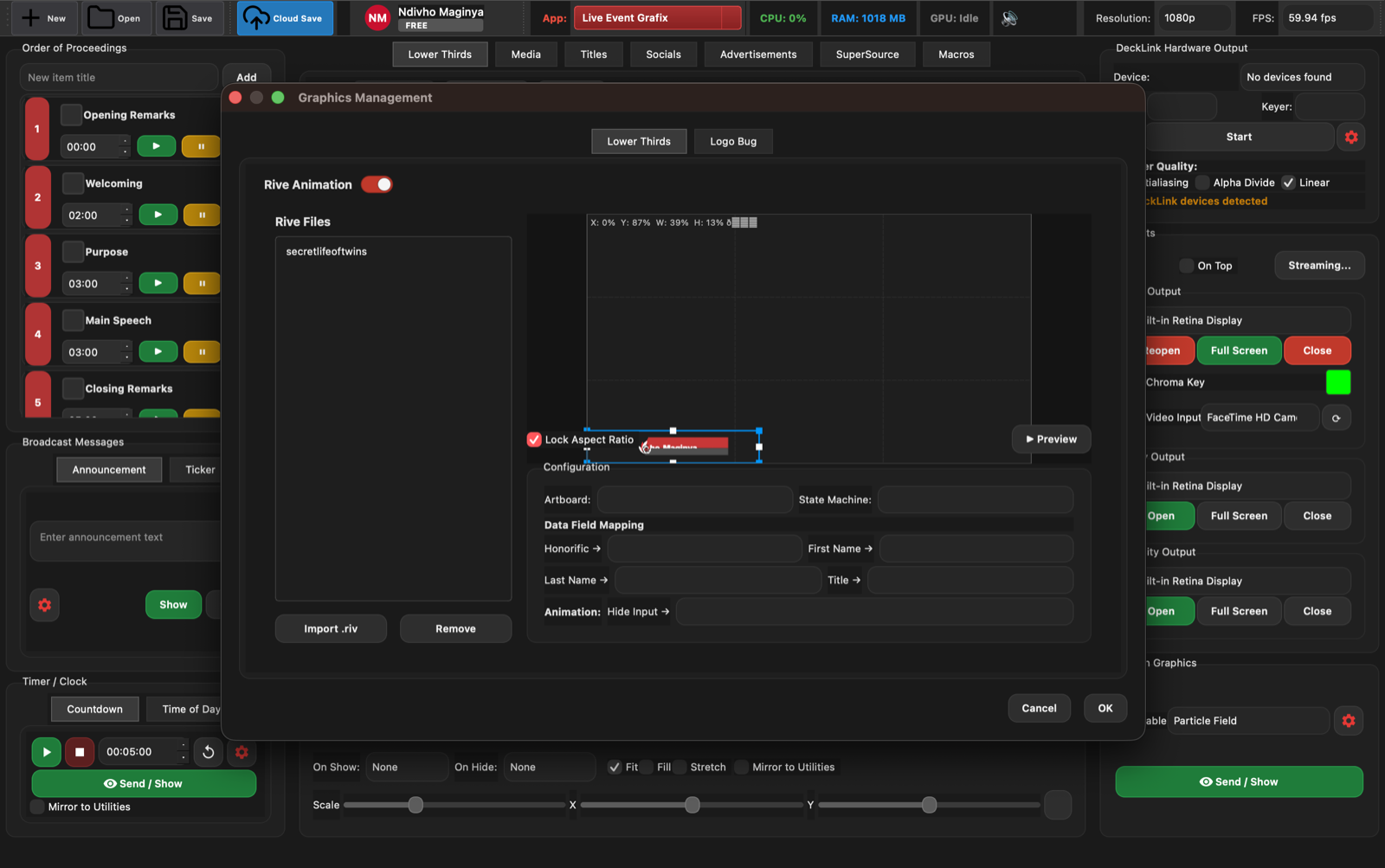
Import Rive files, position graphics, map data fields, preview animations, and configure reusable lower-third templates.
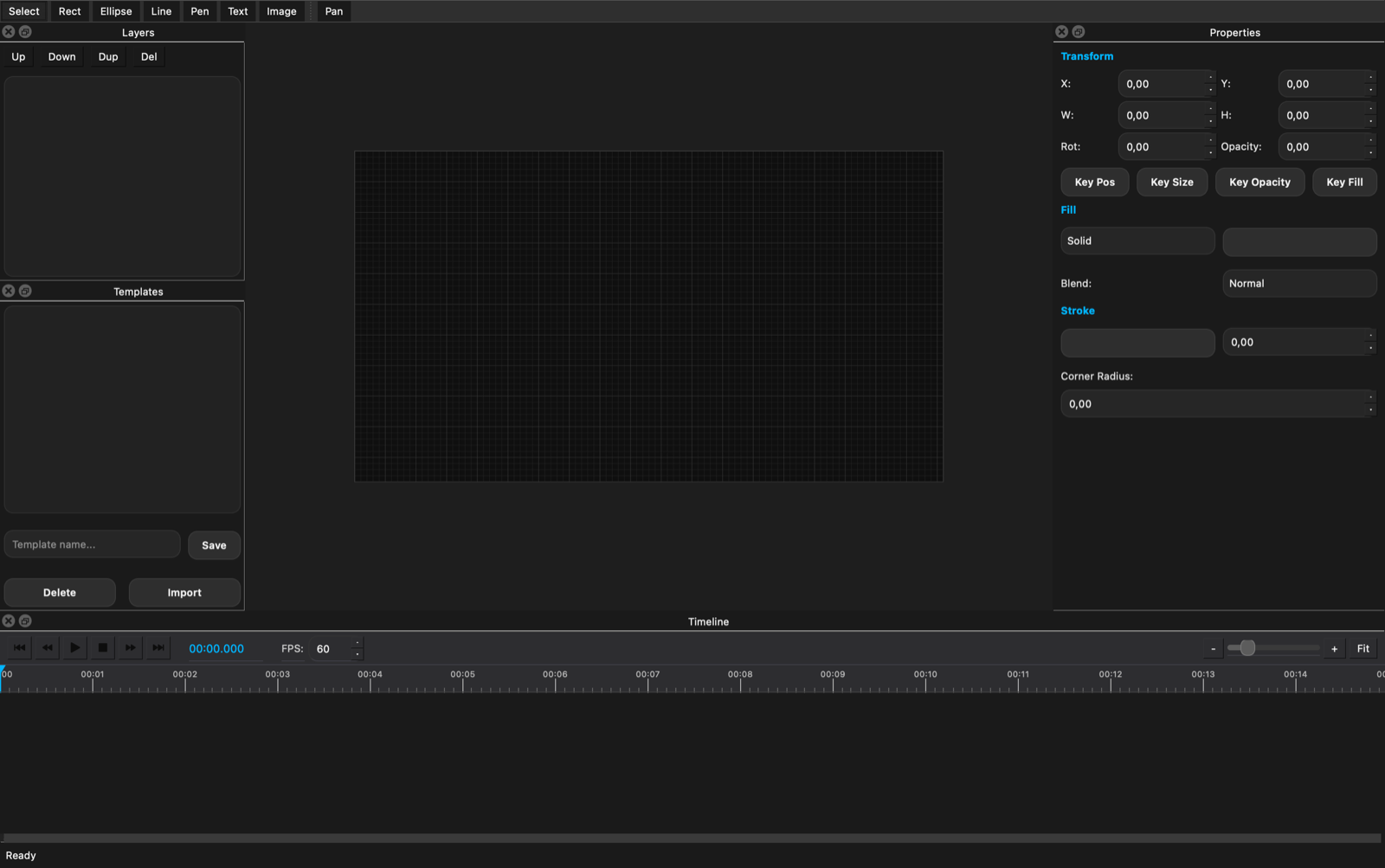
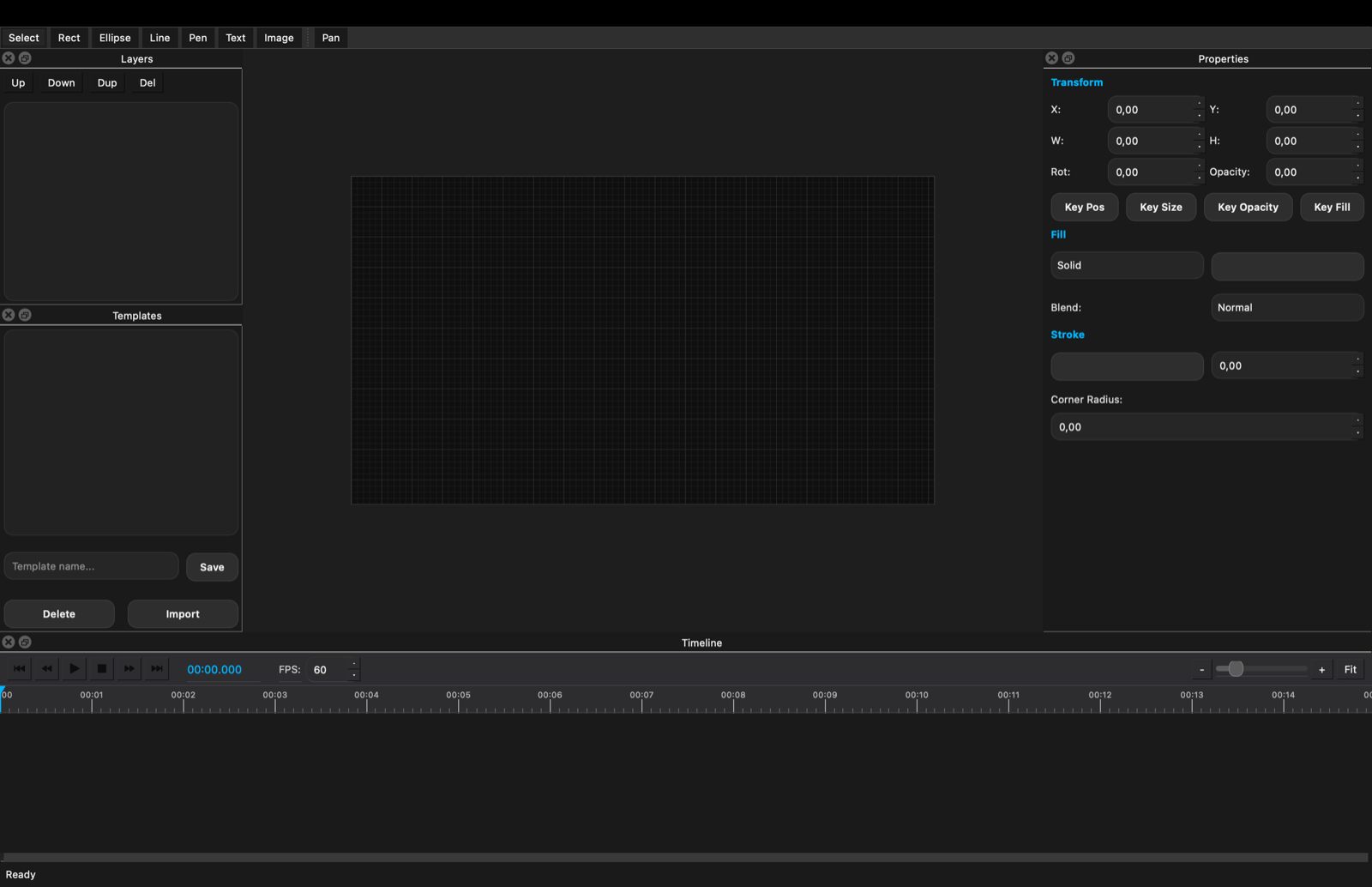
Design overlays with a canvas, layers, transform properties, fill and stroke controls, keyframes, and a playback timeline.
Activate a license, verify subscription status, and keep production machines ready for event-day operation.
Quick manual
Use this as a fast operator guide before a show. The full illustrated manual covers every feature, including remote guests, replay input, streaming and presentations.
Start a new production, open an existing event, or use Cloud Save to keep work available across production machines.
Add order-of-proceedings items, set durations, and use the play, pause, and stop controls to track each event segment.
Load speakers, titles, media, socials, advertisements, supersource items, macros, messages, tickers, and timer graphics.
Open fill, key, and utility outputs, choose target displays, enable chroma key when needed, and confirm resolution and frame rate.
Use preview controls and output windows to confirm scale, animation, text, logos, and data mapping before the event starts.
Use Show, Send, Hide, and auto-hide controls to put graphics on air cleanly while maintaining the next queued item.
Open the Graphics Designer to create templates with layers, text, images, keyframes, opacity, fill, stroke, and timeline playback.
Invite guests by link instead of Zoom or Teams, put them on air with their own programme return, and key replays from NDI or Blackmagic inputs.
Install the latest signed macOS build and use the OTA feed so production machines receive the newest fixes and improvements.
Download
The macOS package is signed, notarized, and connected to the production Sparkle OTA feed for version 1.0.14. Companion iOS tools are also available for registered test devices.
Companion apps
Install LEG Admin or LEG Remote directly on an iPhone or iPad that is registered in the Phanda Studios Apple developer profile. Public iOS installation for unregistered devices will become available with App Store or Ad Hoc distribution.